Access to Apps
Map Secondary Account
Section titled “Map Secondary Account”-
Open NovoAccess
-
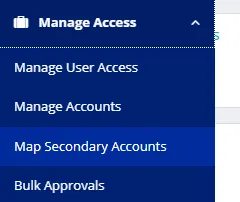
Expand “Manage Access” and click “Map Secondary Accounts”
-
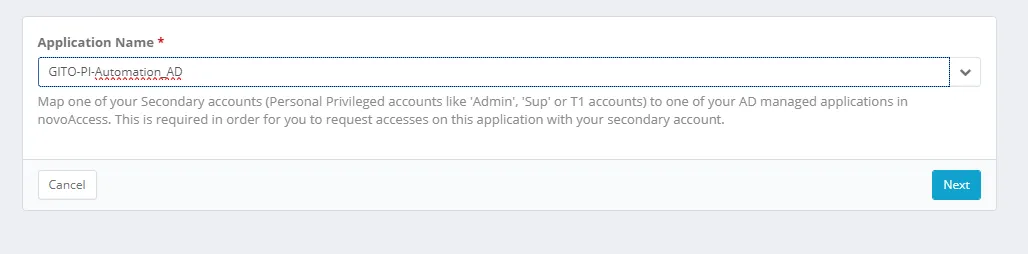
Search for application “GITO-PI-Automation_AD” and click “Next”
-
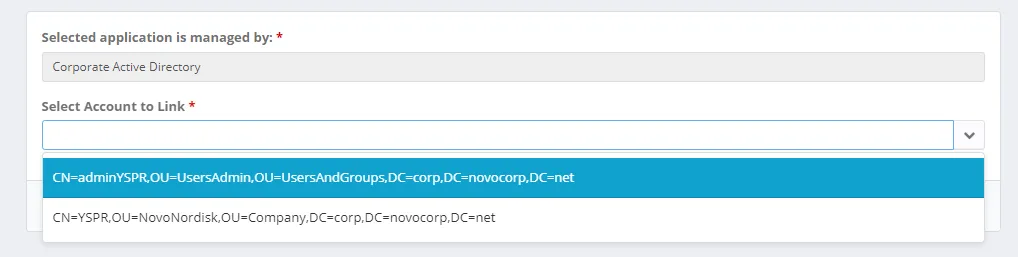
Choose your admin account, click “Next” and click “Link Account”
Request Access to Application
Section titled “Request Access to Application”-
Open NovoAccess
-
Search for automation name for in “Automation Overview” (eg “CORP-PSU_New-VM”). Each access group is listed in the application guide for that automation job.
-
Click on wanted access & submit request
