SQL Cluster Information
Access
Section titled “Access”In over to access this application, you need to request access in NovoAccess to:
- AD Group : CORP-PSU_SQLCluster_R
Detailed help can be found here.
Single Server Usage
Section titled “Single Server Usage”-
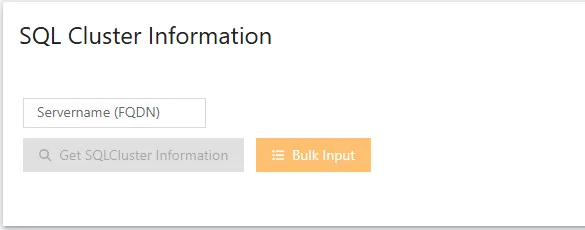
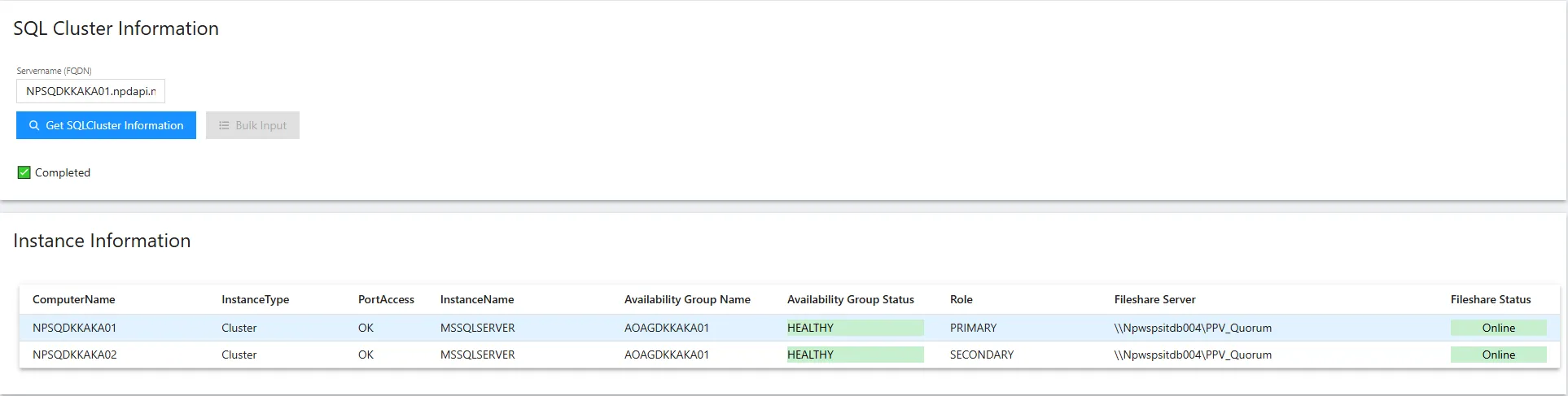
Enter the fully qualified domain name for the SQL Cluster Server.
-
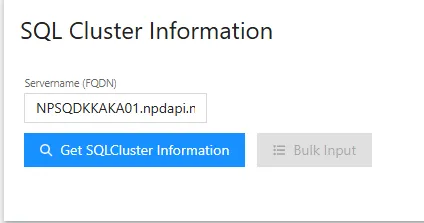
The bulk functionality will disable when enter a servername and the “Get SQLCluster Information” will be enabled.
-
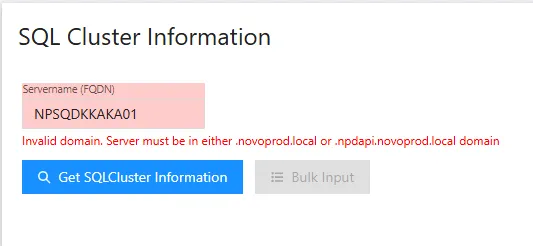
If the FQDN Servername dont look like a FQDN it will give an error.
-
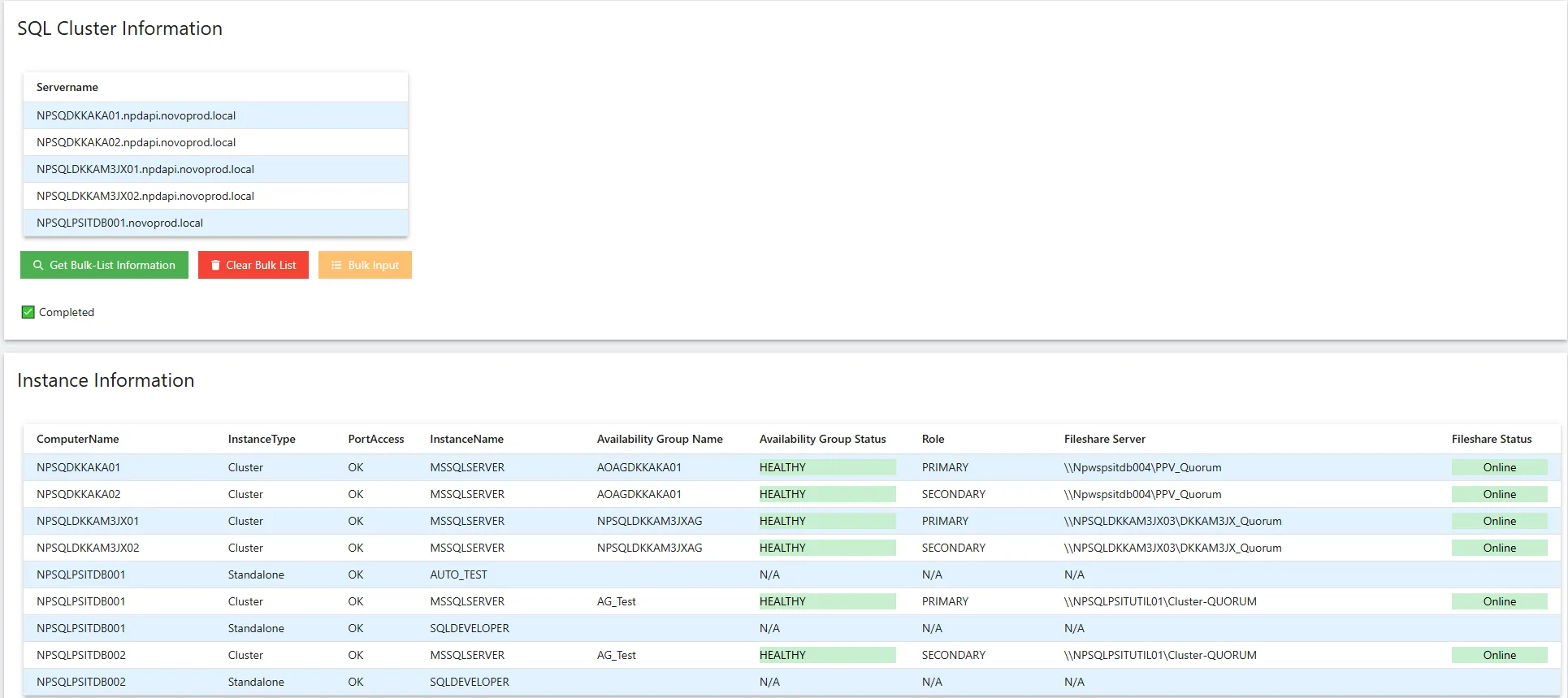
Pres the “Get SQLCluster Information” button and the instances and health will be fetched.
Bulk Server Usage
Section titled “Bulk Server Usage”-
Click the “Bulk Input” button (The FQDN field needs to be empty for it to be enabled) and paste the serverlist.
1️⃣ Click the “Check Input” button to verify the serverlist.
2️⃣ If the input is ok, the list will be visible in the right side.
3️⃣ You will be able to click “Apply” to bring the list to the main page.
4️⃣ Confirmation that the list is OK.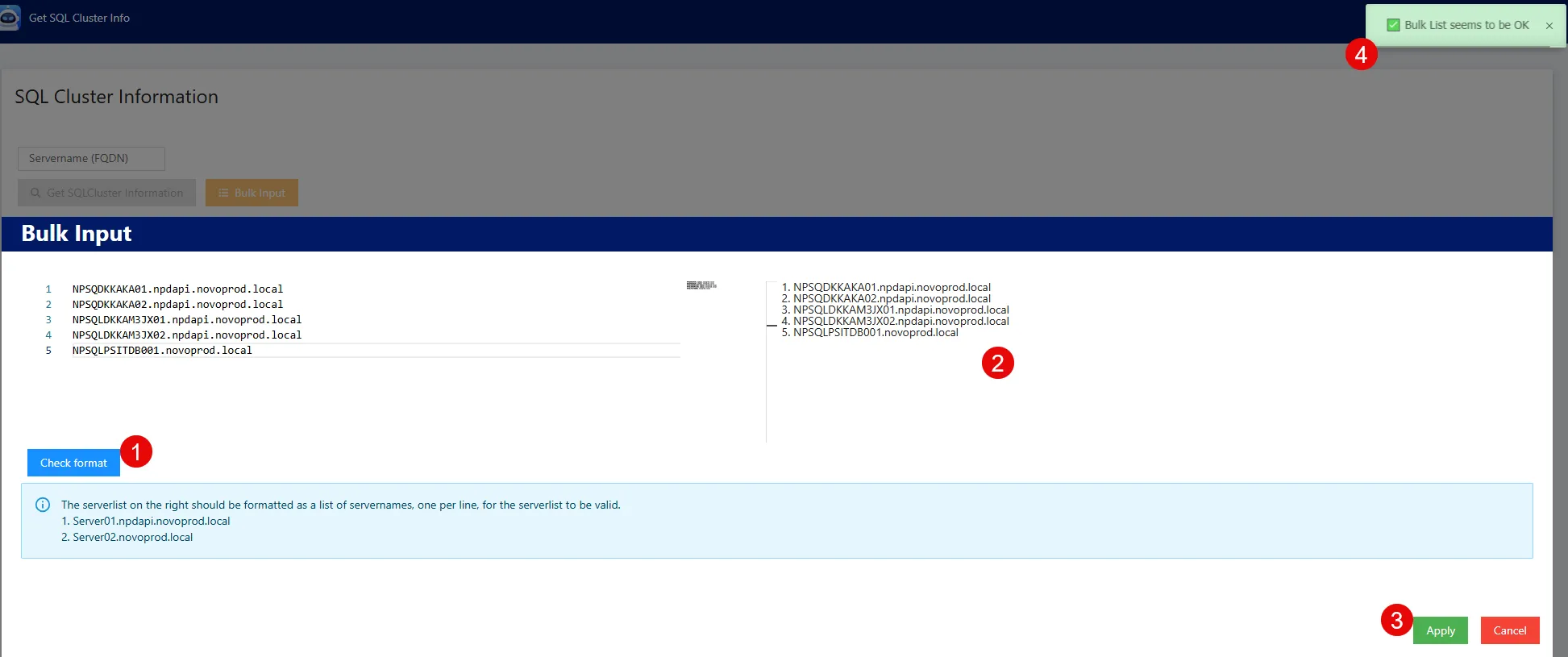
-
If there is an error in the 1️⃣ serverlist when you click 2️⃣ “Check Input”
3️⃣ The list on the right will be empty
4️⃣ The server that seems to be the problem will be displayed.
5️⃣ The “Apply” button will be disabled.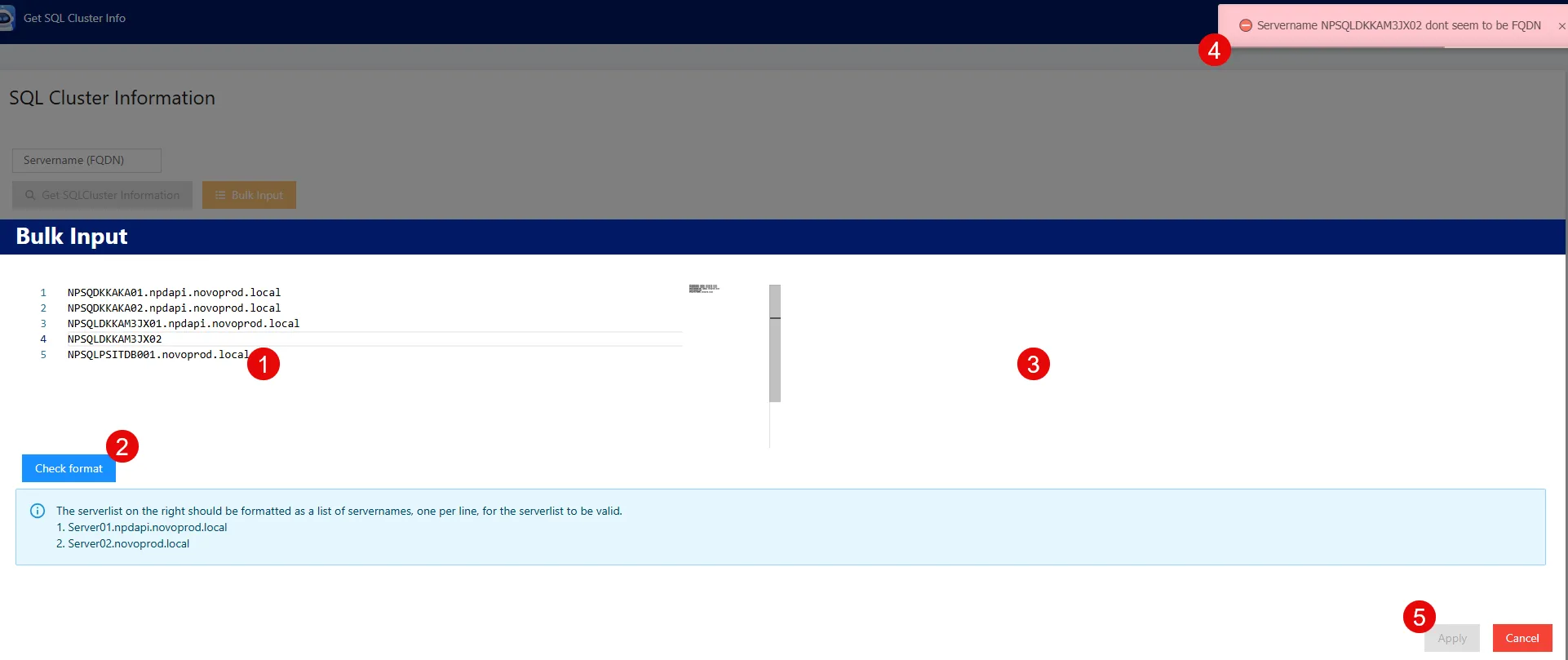
-
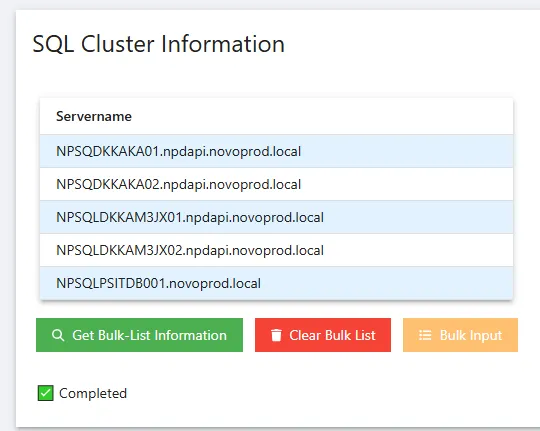
If the serverlist checks OK and you click “Apply” the list will be carried back into the main app and display. Its possible to go back into the bulk tool and edit.
-
Click “Get Bulk-Lyst Information” and instance information and health will be fected.